
Anyone can make a PDF guide in an afternoon. The hard part is making one that people actually download, read and use. Most guides fail before the first word is written, because the topic was only a guess.
This plan shows you how to make a PDF guide the smart way. You start with real demand, write only what your reader needs, and finish with a clean design. You don’t need design skills or expensive software.
What makes a PDF guide worth downloading?
A good guide solves one clear problem for one clear reader. It is short enough to finish and specific enough to act on. Think “A 7-day meal plan for busy parents”, not “Everything about healthy eating”.
Readers decide in seconds. They look at the title, the cover and the first page. If those promise a quick win, they keep reading. If they see a wall of text, they close the file.
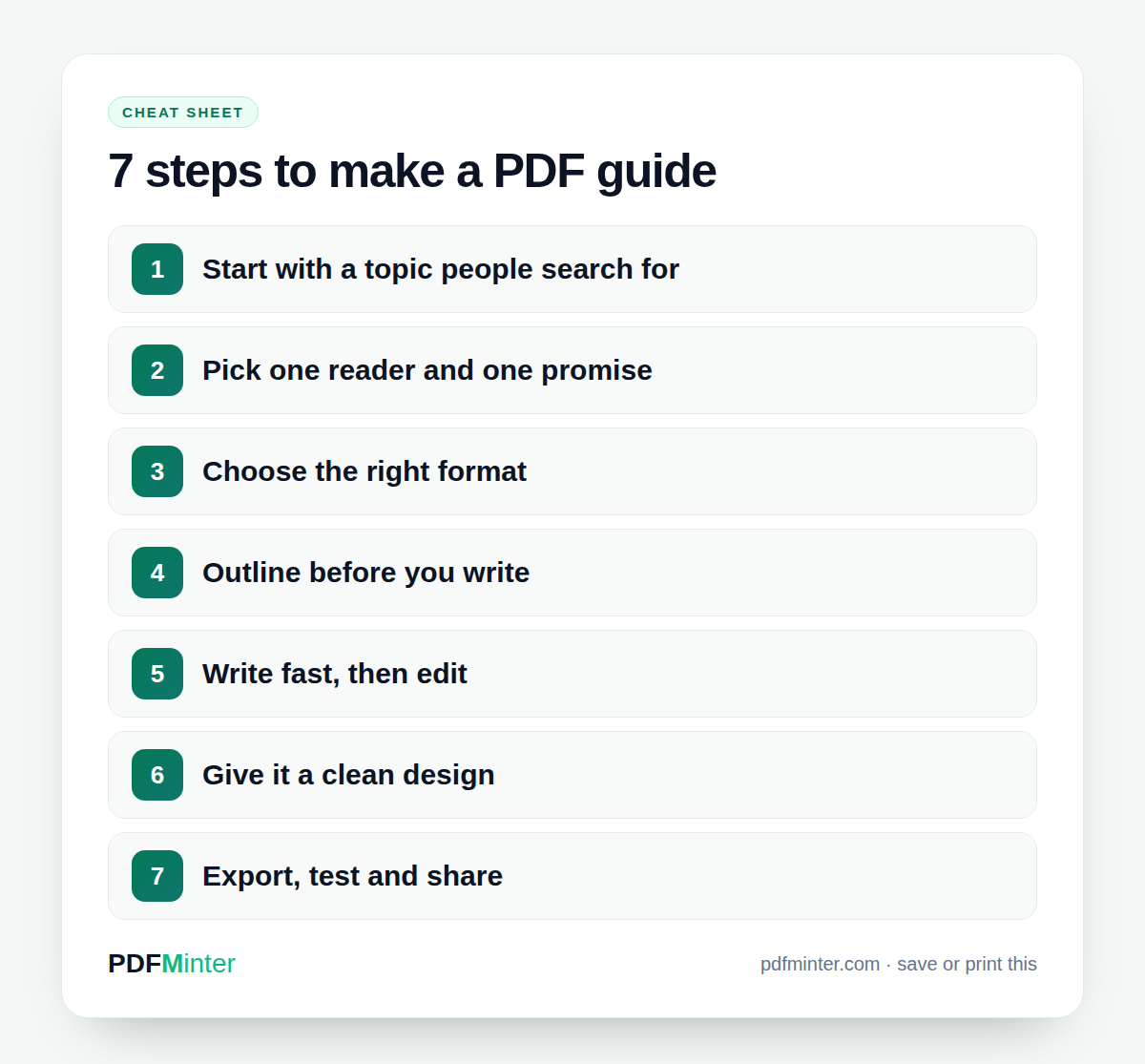
Step 1: Start with a topic people already search for
Before you write anything, check that people are looking for your topic. Search engines show what people type every day. When many people ask the same question, a guide that answers it already has an audience.
You can check this by hand with the suggestions that appear in the Google search box. Type your topic and note what Google adds. Do the same on YouTube and Amazon. Write down the phrases that come up again and again.
Or let a tool collect them for you. In PDFMinter, open Generate PDF Ideas, pick a niche or type a topic, and choose your region. You get idea cards with an Opportunity Score out of 100 and the real search phrases behind each idea.
Step 2: Pick one reader and one promise
Now decide exactly who the guide is for. A guide for “everyone” helps nobody. Answer these three questions before you go further:
- Who is the reader? For example, first-time dog owners with a new puppy.
- What problem do they have right now? The puppy cries all night.
- What will they be able to do after reading? Settle the puppy and sleep through the night.
Turn the answers into one promise. “Help your puppy sleep through the night in 7 days” is a promise. It also makes a great title.
Step 3: Choose the right format
The same topic can become very different PDFs. Pick the format that matches how your reader will use it.
- Guide: explains a process from start to finish. Best for “how to” topics.
- Checklist: a list of steps to tick off. Best for tasks people repeat.
- Ebook: longer, with chapters. Best when the reader wants depth.
- Worksheet: questions and blank lines to fill in. Best for planning and reflection.
- Report: facts and findings. Best for business readers.
Not sure? Start with a short guide or a checklist. They are quick to make and easy to read on a phone.
Step 4: Outline before you write
An outline saves you hours. Take the questions you found in step 1 and group the ones that belong together. Each group becomes one section. Five to seven sections is plenty for a first guide.
Give every section a heading that answers one question. Put the sections in the order your reader needs them. Beginners need the basics first, then the steps, then the common mistakes.
PDFMinter can draft this outline for you. Click Mint this PDF on an idea card, choose a template, and the outline is built from the real searches you just found. You can then move, rename or delete any section.
Step 5: Write fast, then edit
Write the first draft quickly. Don’t stop to fix every sentence. Aim to finish one section at a time, then take a break.
Keep your writing simple. Use short sentences and short paragraphs. Explain one idea at a time and add a small example after each step. Examples are what readers remember.
Most importantly, add what only you know. A mistake you made, a shortcut you found, or a question a customer asked you. This is what makes your guide different from a free web page.
When the draft is done, read it out loud. Cut anything that doesn’t help the reader reach the promise on the cover.
Step 6: Make a PDF guide that looks professional
Good design is not decoration. It makes your guide easier to read. When you make a PDF guide, these basics matter most:
- A clear cover with a big title and a short subtitle.
- Two fonts at most: one for headings, one for text.
- One brand color, used for headings and highlights.
- Plenty of white space around text and images.
- Page numbers and a table of contents for longer guides.
In the PDFMinter builder you can set your brand colors, pick a font pairing and a cover style, and add your logo. Headings never sit alone at the bottom of a page, and the table of contents gets real page numbers.
Step 7: Export, test and share
Export your guide and open it on a phone and on a computer. Check that every page looks right and every link works. If people need to copy text from it, choose a print-quality PDF so the text can be selected.
Then ask one person from your audience to read it. Ask them what was unclear and what they would add. One honest reader will find problems you can’t see anymore.
Quick tip: Write the title last. Once the outline is done, use the exact words from the searches you found. Readers recognize their own question and click.
Common mistakes to avoid
- A topic that is too broad. Narrow it until one guide can fully solve it.
- Too many pages. A focused 10-page guide beats a 60-page guide nobody finishes.
- No next step. End with what the reader should do now.
- Walls of text. Break them up with headings, lists and images.
- No proofreading. Small typos make a guide look rushed.
Ready to make your first guide?
You now know how to make a PDF guide that starts with real demand and ends with a clean, useful file. Pick one small topic this week and finish it. Your second guide will be twice as fast.
For more ideas on writing for people first, read Google’s advice on creating helpful, people-first content. When you are ready, open the PDF guide maker and find your first topic, or read more about PDFMinter.